
How to Create an AI Research Report in HTML with Cheso
Create an AI research report with Cheso, then turn it into an HTML report with clear navigation, interactive charts, and source references.

Picture this: your teacher assigns a research project. Pick apart a topic, collect the data, write a report, and present it next class. Simple enough. Just a little homework.
Then you start listing the actual jobs: finding sources, organizing the information, comparing the numbers, drawing conclusions, designing the report, and making something you can present without apologizing for the formatting.
Suddenly, every item has developed a healthy appetite for your afternoon.
What’s that? You have already graduated?
Congratulations. Your boss would like a market analysis by Friday.
Let’s make this easier. Cheso can research a topic, organize the findings, and turn the report into an HTML page with navigation, visual comparisons, and references. The research and the presentation of that research happen in the same conversation.
For this walkthrough, I’ll use a report on marketing and growth channels for personal-assistant AI agents. The question is practical: if we are building a product from scratch, where should we start promoting it—and why?
1. Give Cheso the research brief, not just the topic
“Research AI agents” is a topic. “Help us choose growth channels for a new personal-assistant agent” is an assignment with somewhere to go.
That difference matters. A useful research report should help you answer a question or make a decision, rather than introduce you to every fact that happens to live nearby.
Here is the starting prompt from this example:
Personal assistant–style Agent products are rapidly emerging, such as Grok Bot, Muse, Cue, as well as earlier products like Manus, OpenClaw, and Hermes. We are also building a similar product from 0 to 1 and are about to begin marketing and promotion. Please help me map out the major marketing and growth channels, including their respective advantages and disadvantages, and research which channels competing products are primarily using for user acquisition and promotion, supported by detailed analysis and data.
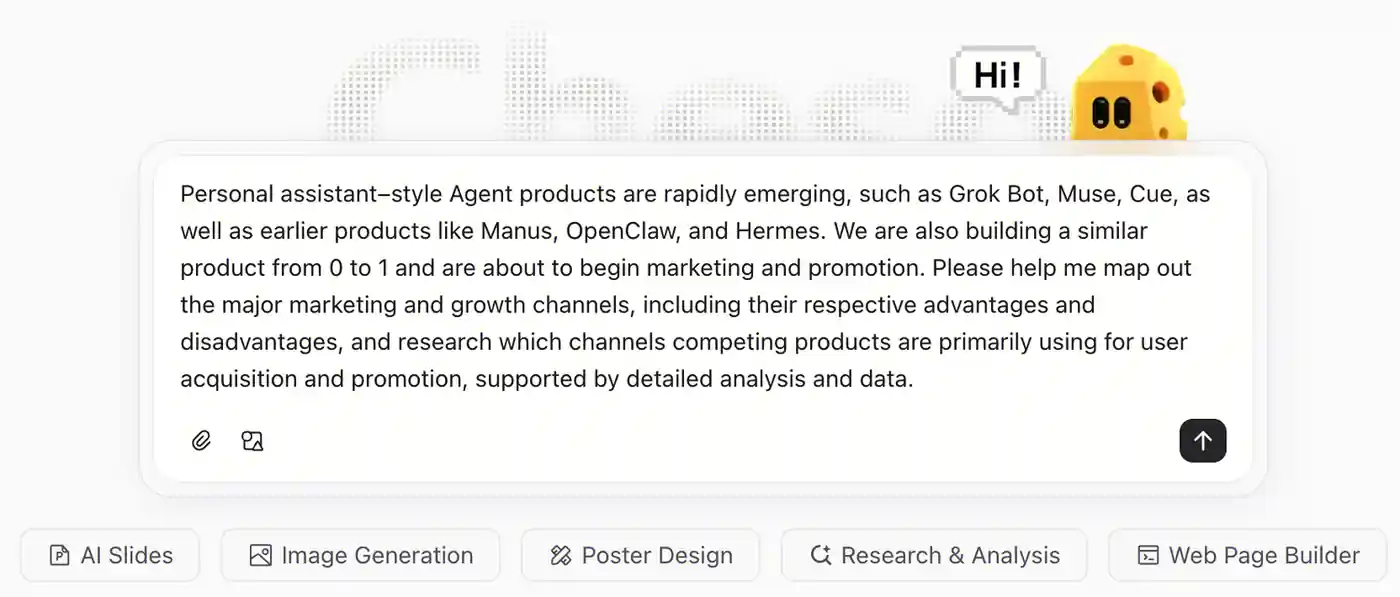
Give Cheso the product context, the research questions, and the kind of evidence you want in the report.
The prompt does several jobs at once. It names the category, gives a comparison set, explains the stage of the project, and asks for analysis backed by data. Cheso has a reason to investigate those channels, not just list them.
For your own report, a few extra details can make the brief more useful:
- The decision: What should this research help you choose or understand?
- The scope: Which market, audience, products, and time period matter?
- The comparison: What should be compared—cost, effort, reach, speed, or suitability?
- The deliverable: Do you need a detailed research report, a short briefing, or both?
For example, a small team could add:
Focus on channels a small team can realistically test before and just after launch. Compare the required effort, likely time-to-impact, and audience fit. Prioritize recent primary sources, include links and dates, and distinguish published figures from estimates and recommendations.
No ceremonial prompt engineering required. Just explain the job as you would to a very capable colleague who has not yet attended your last twelve planning meetings.
2. Let Cheso gather the sources and build the report
With the brief in place, Cheso uses research tools such as web search and deep research to gather material and develop the analysis.
In this example, it also creates a to-do list for the work. The task is broken into stages, so the research has a visible structure instead of becoming one very long search session with excellent intentions.
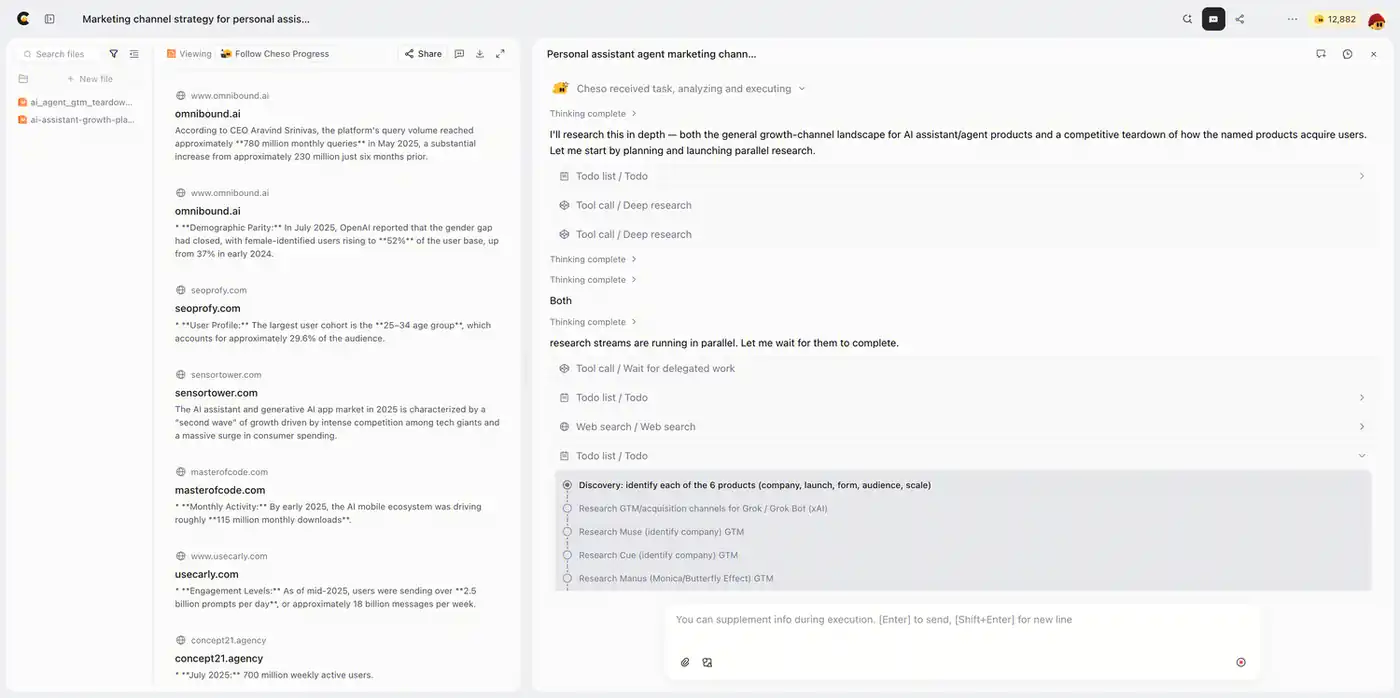
The research progresses through a plan, with tools used to gather the material behind the analysis.
A channel report needs more than a roll call of SEO, social media, communities, and paid ads. The useful questions are how those channels work, what they demand from the team, and where they fit in the product’s development.
The resulting report gives those questions room. In this example, the analysis covers market context, channel comparisons, product-specific observations, cross-cutting patterns, and a phased plan.
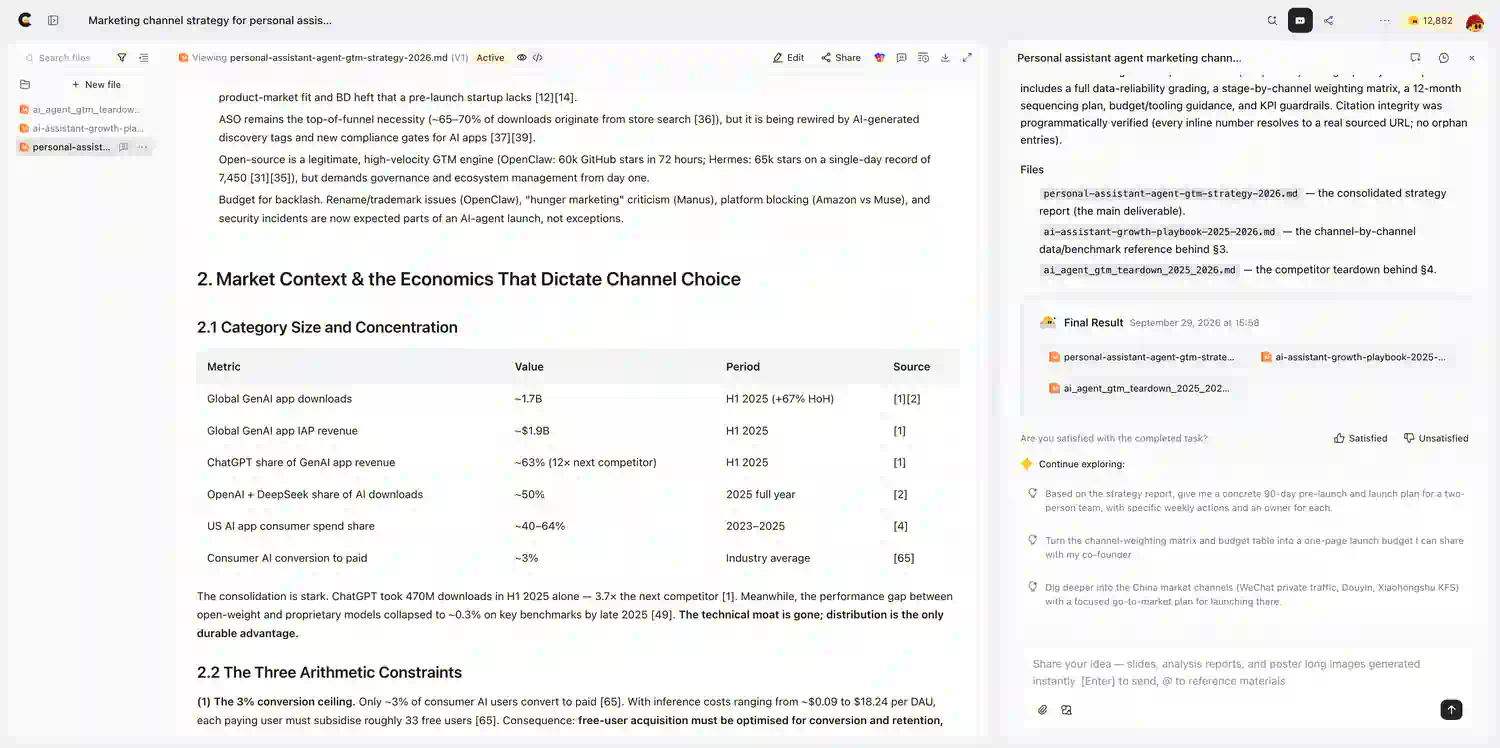
The first report brings the findings together before the next pass focuses on how people will read them.
We now have the substance. Excellent. Let’s give it a form that does not ask the reader to pack lunch before starting.
3. Turn the research into an HTML report people want to read
Markdown is a perfectly useful way to organize text, and AI tools are very comfortable with it. But when a report gets long, a web-style presentation can give its human readers a better route through the material.
HTML gives you room for a table of contents, clear sections, comparison tables, charts, and interactions such as hover details. Readers can skim the main findings, jump to a question, or dig into the supporting analysis.
That is the appeal here: the report becomes something you can explore, not just something you scroll through.
A colleague of mine—a seasoned AI product specialist—once told me that Cheso’s HTML reports were the best she had used from an AI product. High praise. Naturally, I wanted to show you what one actually looks like.
Here is the follow-up prompt:
Please reorganize and refine the final report based on the following requirements:
Structure the data: Present the key data and findings in tables, lists, or charts to ensure clear logic and a well-organized hierarchy.
Improve readability: Optimize the layout and formatting with clear section headings, bold highlights, and appropriate visual separators so the report can be quickly scanned and understood.
Deliver a complete final report: Based on the requirements above, provide a polished, comprehensive, and ready-to-use final version of the report, preferably in HTML format.
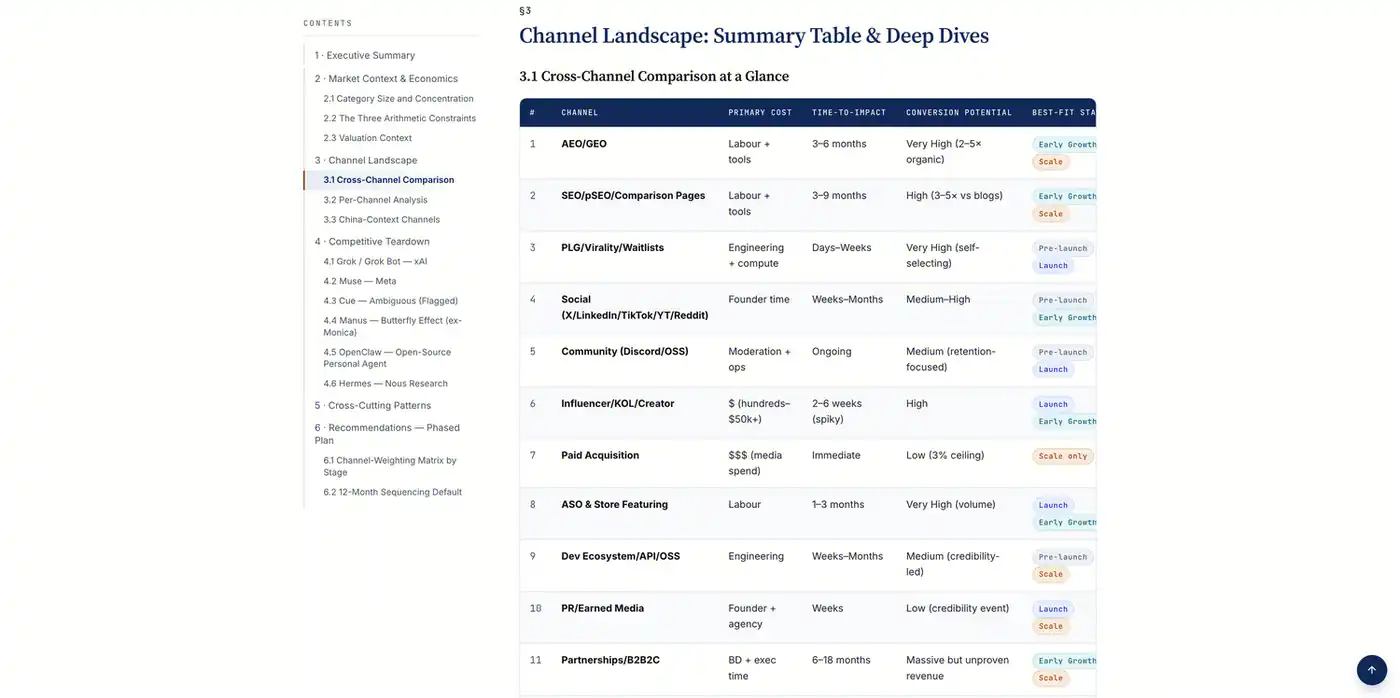
The HTML version adds a reading structure: navigation, section hierarchy, and information arranged for comparison.
Now that looks like a report you could happily put in front of someone.
The key is asking for more than “make it pretty.” Tell Cheso how the report should work for the reader. Put the main findings near the top. Group related comparisons. Keep the detailed evidence available without giving every paragraph the same visual weight.
If the audience is a busy team, you can add:
Open with an executive summary and the main recommendations. Add a clickable table of contents. Keep the detailed analysis and references, and use charts where they make a comparison easier to understand. Preserve the source links when reorganizing the report.
Same research, a clearer reading experience. No need to start a separate web-design project just because your report deserves a little dignity.
4. Make the charts explain something
This is where HTML gets especially interesting. Cheso can turn the analysis into charts that let you compare relationships at a glance, with details available when you need them.
A scatter plot for the trade-offs
Take this chart from the report:
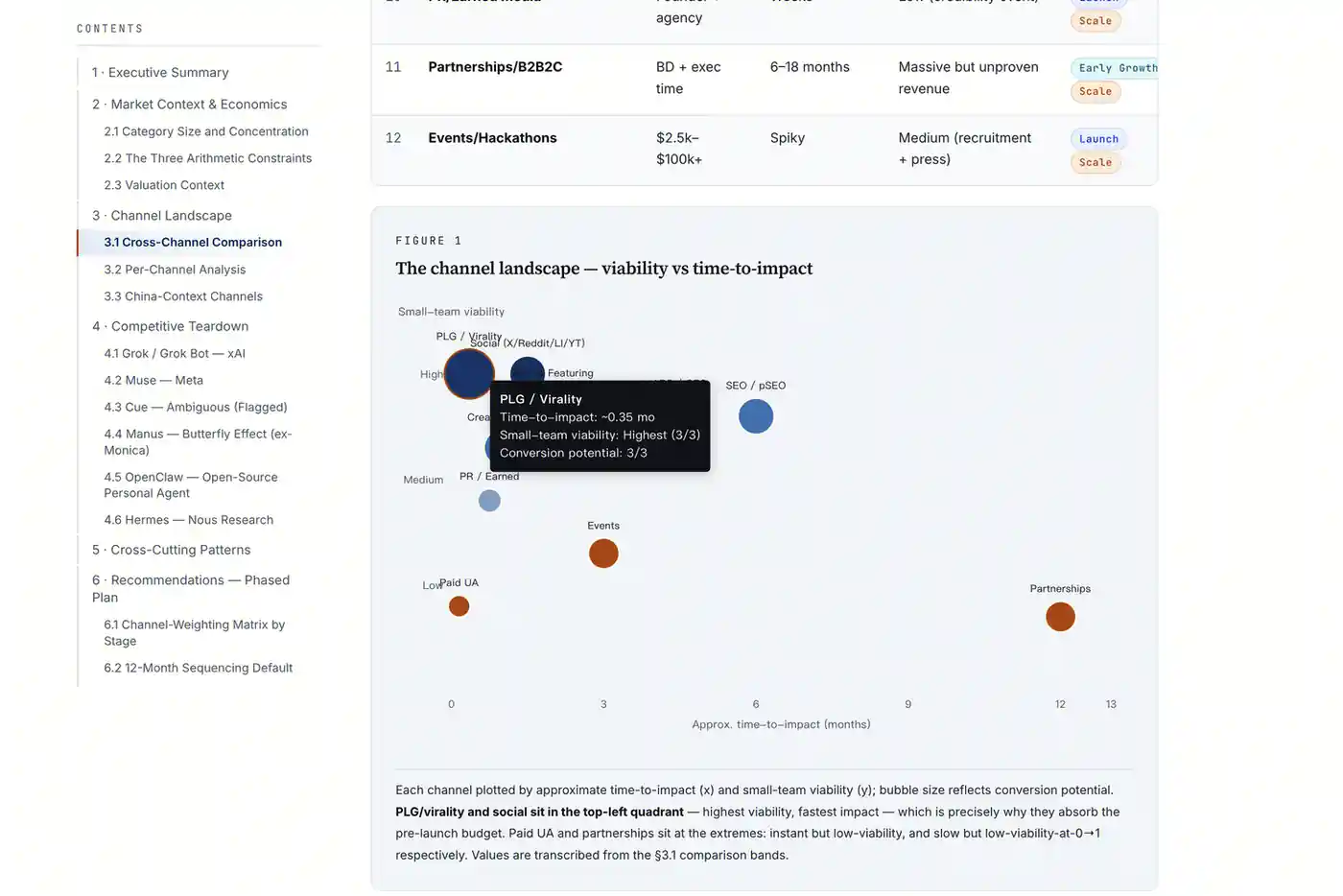
The channel map visualizes the report’s assessments: time-to-impact on the horizontal axis, small-team viability on the vertical axis, and conversion potential through bubble size.
Instead of reading a separate paragraph about each channel and mentally juggling the trade-offs, you can see how they relate. The hover detail in the example adds context to an individual point without putting every label permanently on the chart.
The value is not that a scatter plot looks more sophisticated than a table. It is that two questions—“How soon?” and “How practical for us?”—can be considered together.
Your brain gets to retire from its second job as a spreadsheet.
A heatmap for the plan over time
And here is the heatmap:
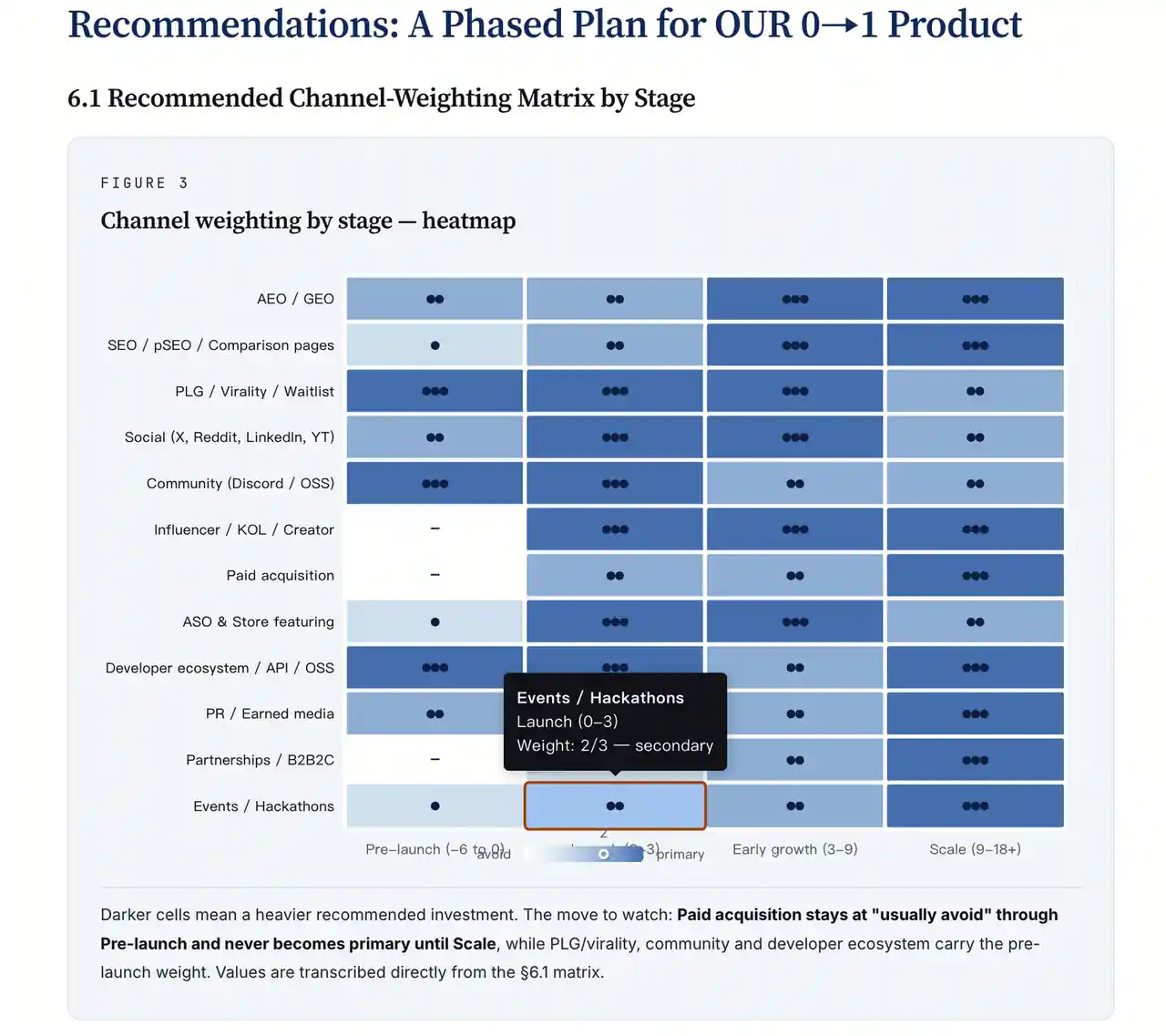
The heatmap shows how the report recommends changing channel emphasis as the product moves through different stages.
Rows represent channels; columns represent stages. Darker cells indicate a heavier recommended investment. That makes a phased strategy much easier to scan than a long list of “do this now, do that later.”
These are the report’s recommendations made visual. The chart helps explain the plan, while the surrounding text gives the reasoning behind it.
Bar charts, pie charts, and straightforward tables have their place too. Use the format that answers the question. Every finding does not need its own tiny fireworks display.
5. Keep the references with the story
Good presentation should make the research easier to follow, including where the information came from.
The HTML report includes a dedicated references section, so the source material remains part of the reading experience rather than disappearing during the design pass.
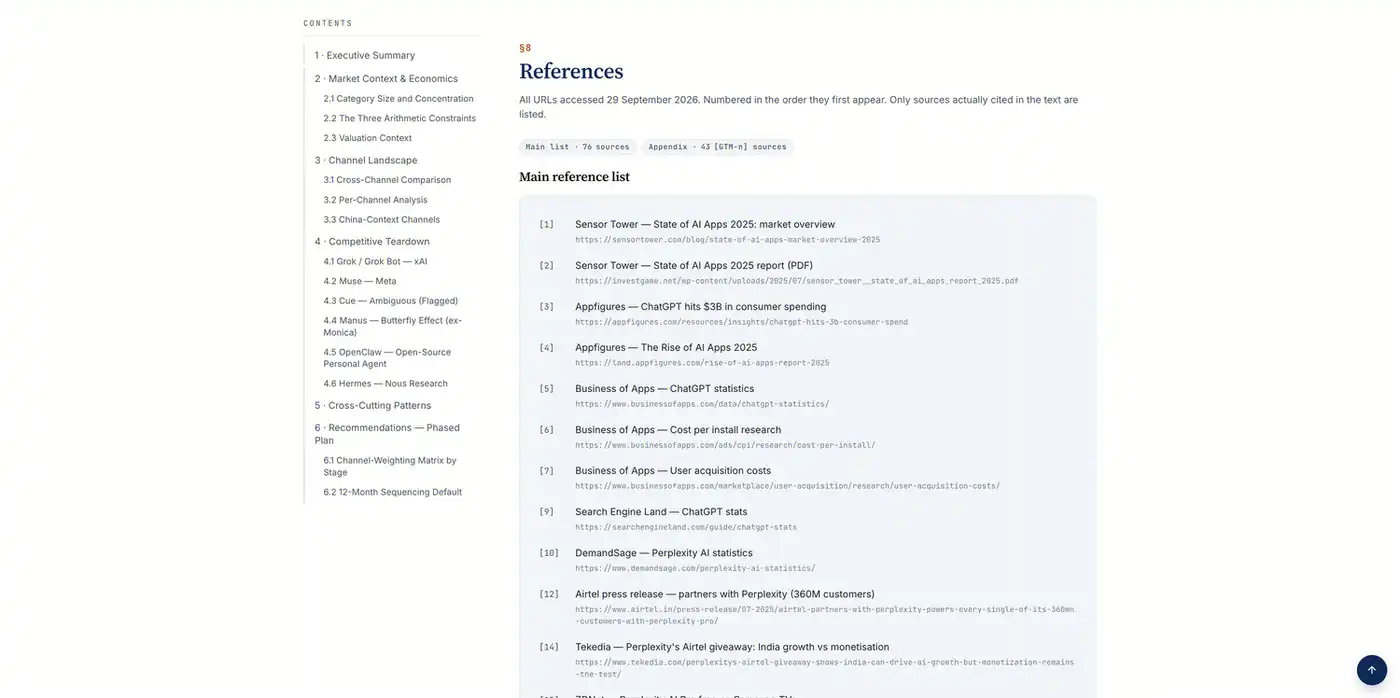
The references stay with the report, giving readers a route from the analysis back to the cited material.
This is also why the research brief and the formatting prompt work well together. One asks for evidence and analysis; the other asks for a clearer way to present them. Better layout should help the substance travel, not leave it behind.
Your next research report can do more than sit in a folder
Word documents and LaTeX have their place. But a report meant to be read on a screen can take advantage of the screen: navigation, visual comparisons, and room to explore the details.
Cheso brings the research and that presentation layer into one workflow. Describe the question, let it build the analysis, then ask for an HTML report that makes the findings easier to use.
Want to see the full example? Explore the AI-agent growth-channel research report.
Or create your own research report with Cheso. Sign up to get 2,000 bonus credits and give that next assignment somewhere better to go than an ever-growing collection of browser tabs.
Your teacher still wants the report. So does your boss. At least the formatting no longer needs its own afternoon.