
Financial Report Analysis: From Report to Presentation with Cheso
Learn how to analyze a financial report with Cheso, refine the findings for investors, and turn them into an editable PowerPoint presentation.
Morning, folks. Yep. Me again.
Reporting season has a funny way of turning “I follow a few companies” into “I apparently have homework now.” Annual reports. Half-year reports. Another PDF waiting patiently for you to become a better person.
And financial reports are not exactly light reading. Dozens of pages, sometimes hundreds. Tables, numbers, footnotes, and the occasional footnote that seems to have brought its extended family. A few pages in, the yawning begins. Compared with this stuff, Walden suddenly looks like a beach read.
One report is enough of a project. A dozen? That is a lifestyle.
Here is the good news: Cheso can analyze a financial report and turn the findings into a PowerPoint presentation. Upload the document, ask for the important numbers and business changes, then keep refining the analysis and the slides in the same conversation.
That is what makes this more useful than simply asking AI for a shorter version of a very long PDF. You can go from source material to analysis, charts, and an editable deck without rebuilding the whole thing in a second tool.
Let’s walk through it using a fictional ChesoAI annual report. The company and financial figures in this example are made up for the demo—not Cheso’s actual business results.
1. Upload the financial report. Give Cheso the assignment.
Start with the report you want to understand. Cheso accepts source documents such as PDFs and Word files, so you can bring the material you already have.
Upload it, then explain what you want out of it. The prompt in this walkthrough is refreshingly unceremonious:
Can you analyze this annual report and make a PPT out of it?
Just pull out the important numbers, trends, business changes, risks, and key takeaways. Add some charts and tables so it’s easy to understand.
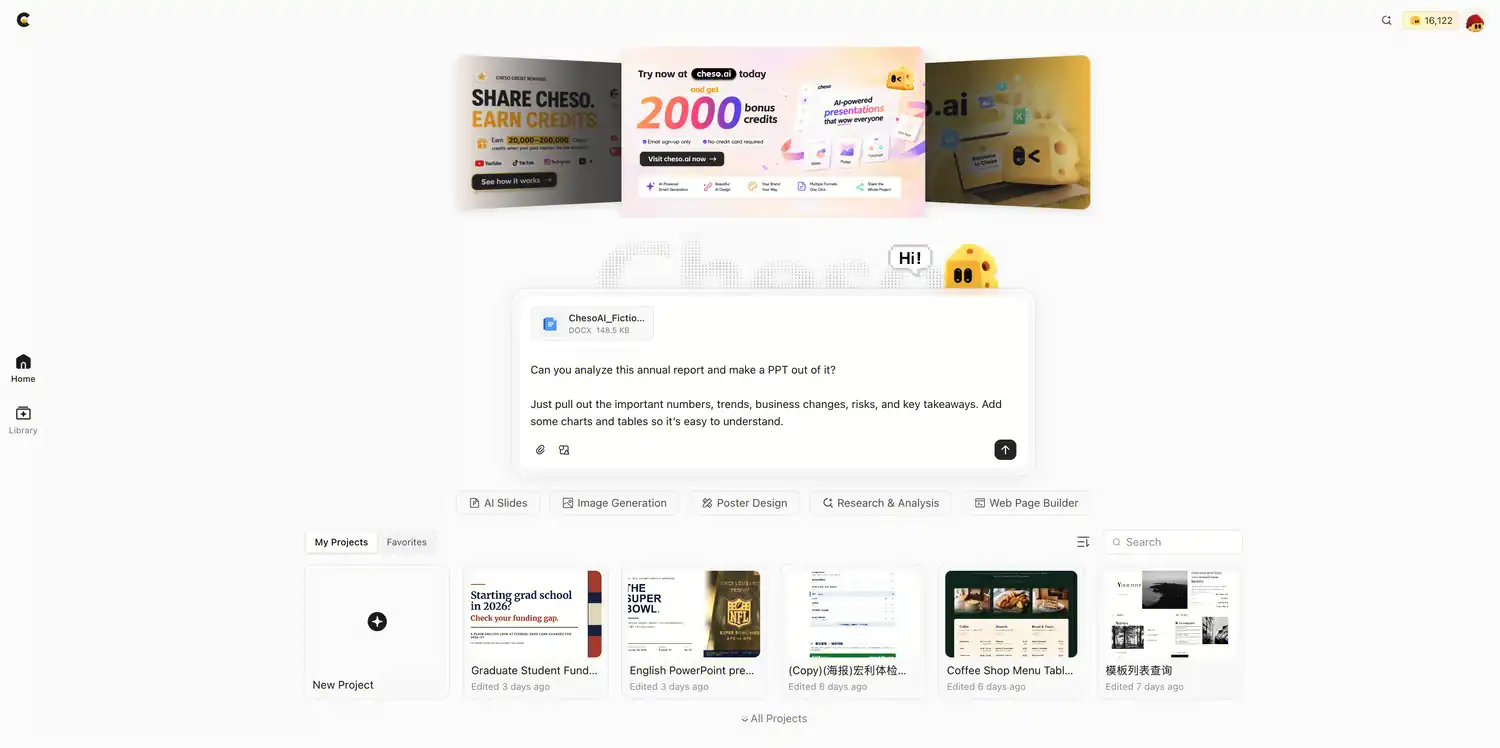
Upload the report and tell Cheso what you want to make. No elaborate prompt ritual required.
Write it your own way, too. Keep it casual. Cheso is a smart cookie, not a form that rejects your application because you forgot a semicolon.
If you already know who the presentation is for, add that detail. An investor wants a different story from a team getting a quick business update. You can also name the reporting period, preferred language, and approximate slide count.
For example:
Make this for an investor who wants to understand the business quickly. Aim for around 12 slides, use plain English, and keep the reporting period, currency, and units clear. Base the analysis on the uploaded report and include source page or section references for the key figures.
Think of those details as a brief, not a spell. They tell Cheso where to spend its attention.
Send the request. Grab some sunflower seeds. Cue the tiny drumroll.
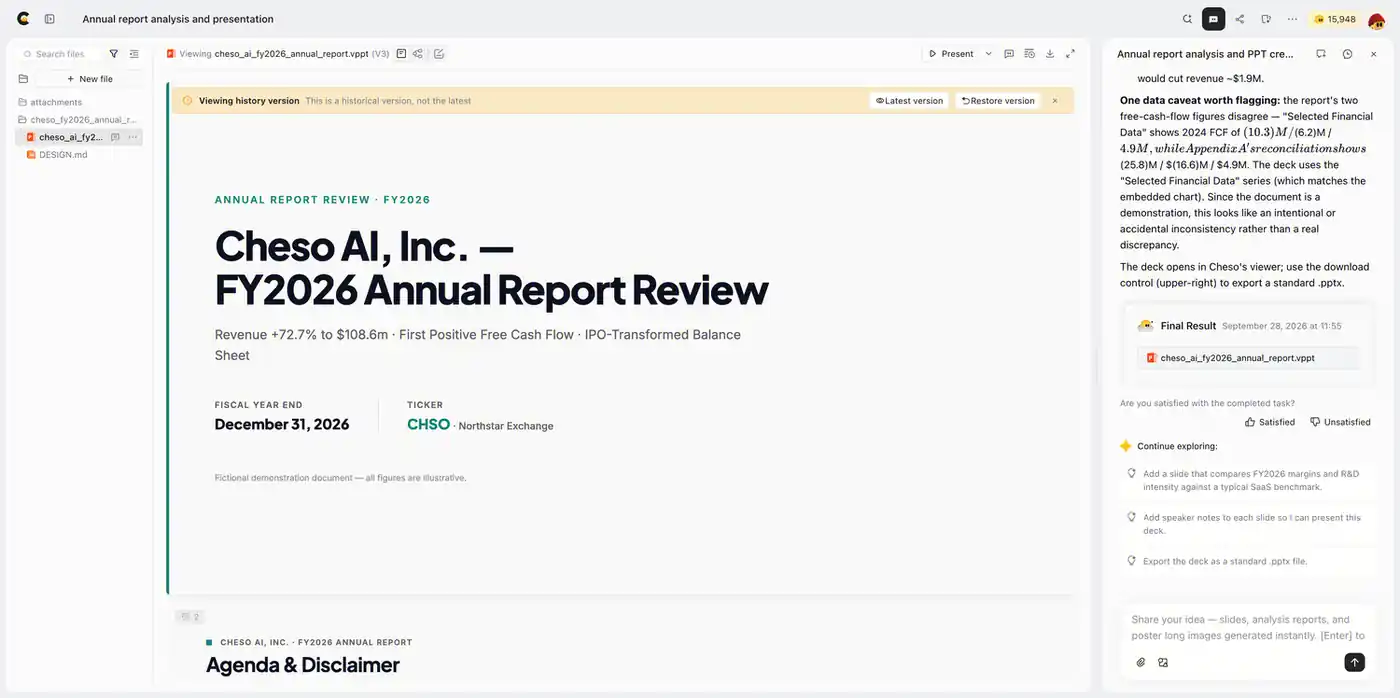
The first draft organizes the report into a presentation, with financial highlights and a clearer structure.
The first draft in this demo took roughly ten minutes. That was this particular run; the report and the request affect how long the job takes.
Now the information has somewhere to live: an overview of the business, important numbers, charts, and takeaways. You can start reading through it—or ask a better question and let Cheso take the analysis further.
Naturally, we are doing the second thing.
2. Go beyond the summary. Make it investor-focused.
A summary tells you what is in the report. Financial analysis asks what changed, what drove it, and why it matters.
“Revenue went up” is a start. “Revenue went up because…” is where things get interesting.
Here is the follow-up prompt:
Nice. Make it a bit more investor-focused.
Spend more time on revenue growth, margins, cash flow, and what’s actually driving the changes. Also point out anything unusual or worth paying attention to.
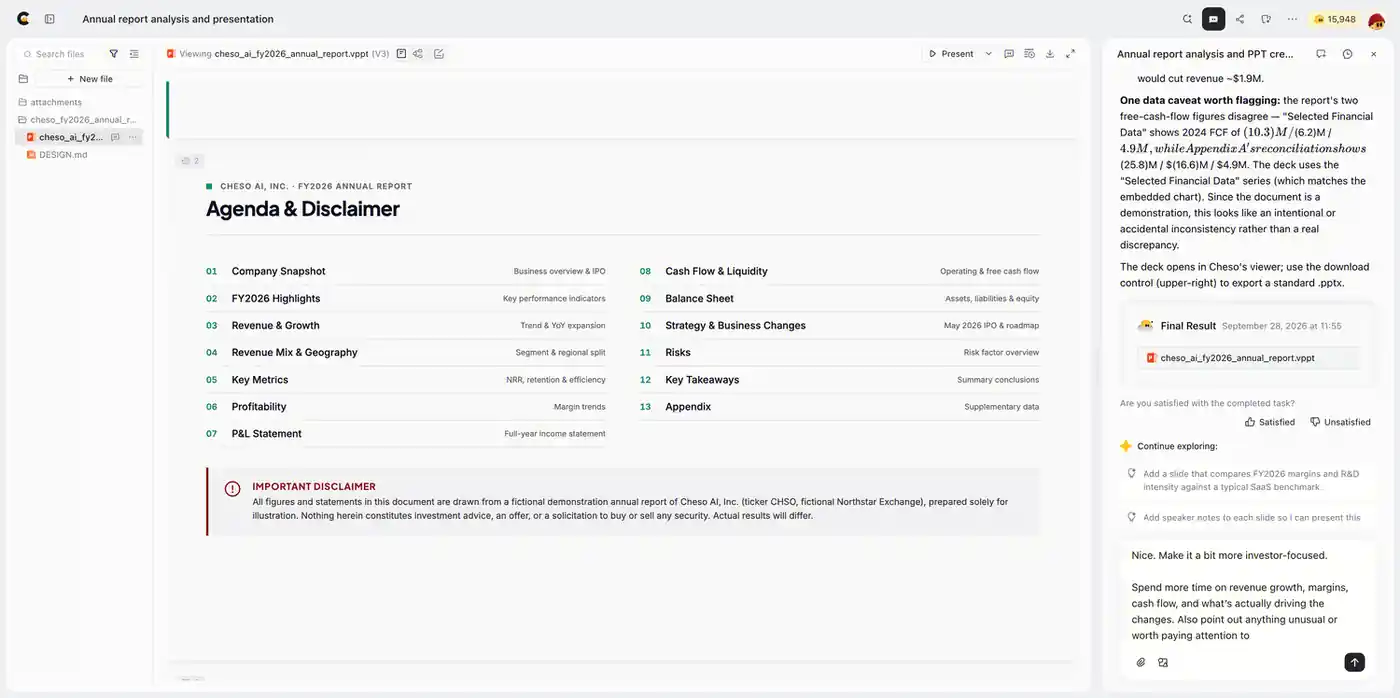
Use a follow-up prompt to shift the emphasis from a general overview to the financial questions that matter to your audience.
While Cheso works, take a look at that agenda. Revenue, profitability, cash flow, the balance sheet, strategy, and risks. A pretty respectable starting lineup.
The useful part is connecting those topics. Growth, profit, and cash flow tell different parts of the same story. Ask Cheso to bring out those relationships instead of giving each metric its own little island.
Here are five angles worth putting into the brief:
- Revenue growth: Which products, business segments, or regions contributed to the change? Ask for the drivers disclosed in the report, not just the headline percentage.
- Margins and profitability: Is growth translating into better economics? Separate gross margin, operating profit, and net income so the story stays clear.
- Cash flow: How does operating cash flow compare with reported profit? What role do working capital and capital expenditure play?
- Balance sheet and liquidity: How much cash and debt does the company have, and what upcoming obligations does the report describe?
- Unusual items and risks: Which one-off gains, charges, business changes, or disclosed risks help explain the results?
You do not need to cram all five into every presentation. Pick the questions that suit your audience. A cash-flow discussion and a growth discussion may start with the same report and end up with very different decks.
Want a more targeted follow-up? Try this:
Add a slide comparing revenue growth, operating profit, and operating cash flow over the comparable periods available in the report. Explain the main differences using the report’s own disclosures, and give the slide one clear takeaway.
Same source material. Better question. More useful presentation.
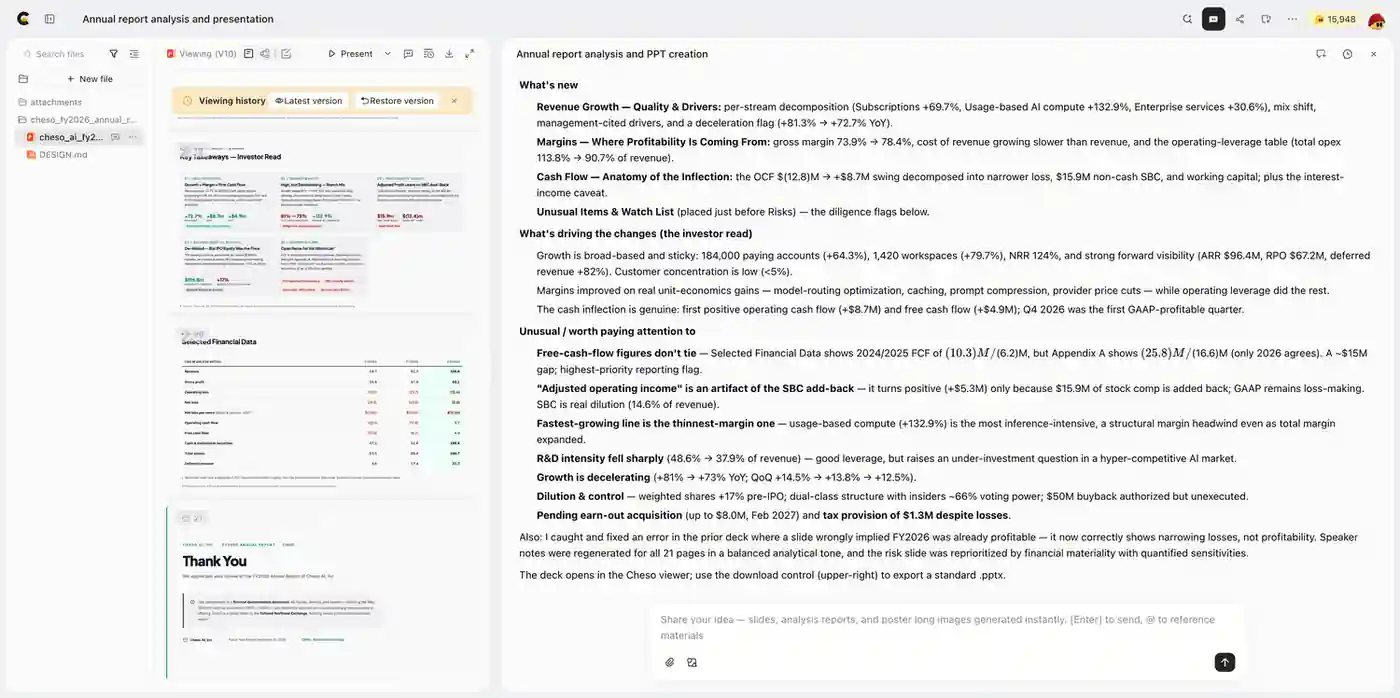
The investor-focused revision adds detail on the numbers and the business drivers behind them.
In this walkthrough, Cheso added four slides and expanded the discussion of revenue growth and cash flow. The revision brought in more detail on the figures and the reasons behind the changes, and corrected a small issue in the earlier version.
That is the appeal of working in a conversation. You do not have to deliver the perfect brief on your first attempt. Start with the report, find the angle you care about, and keep going.
The first draft is a starting point, not a lifelong commitment.
3. Polish the slides. Give the numbers a storyline.
We now have a more substantial financial analysis. Lovely. But a presentation can contain all the right topics and still feel like a spreadsheet wearing a blazer.
Time for the finishing pass:
Looks good. Clean up the slides and make the story flow better.
Keep the text short, make the charts more visual, and make sure each slide has one clear takeaway. I want something I could actually present in a meeting.
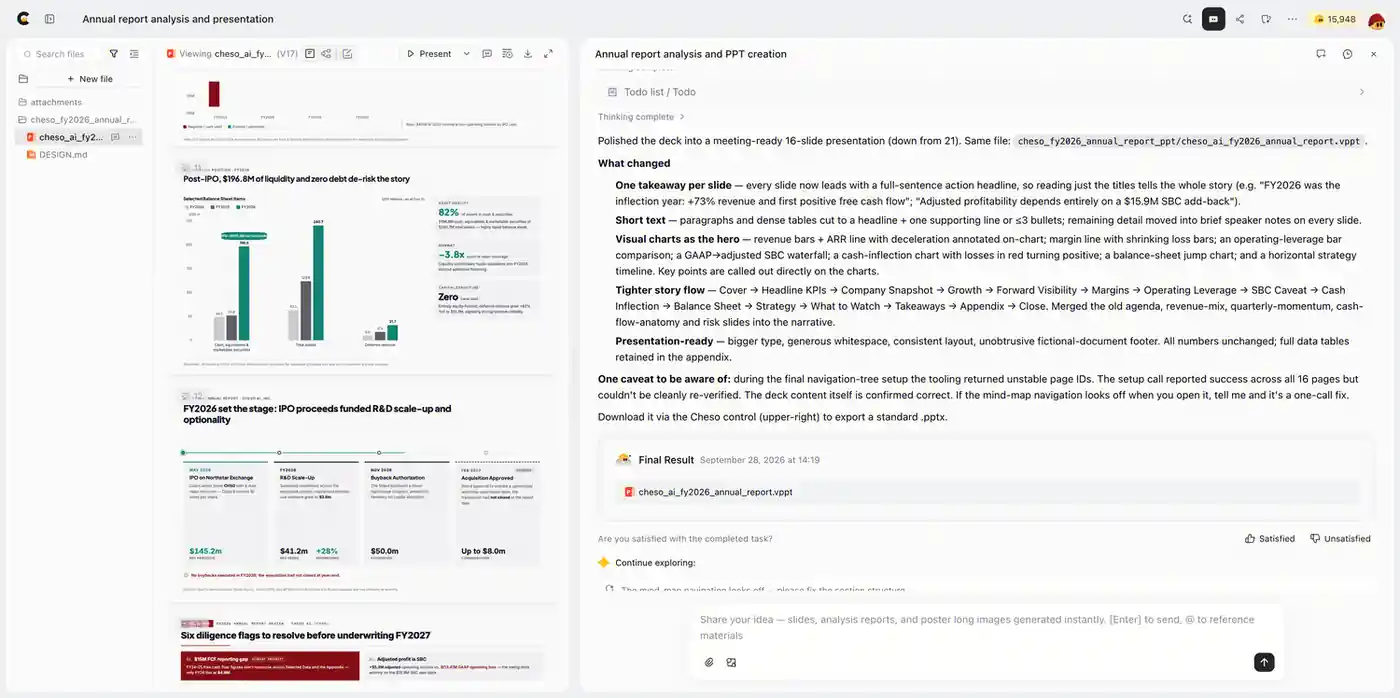
The final pass focuses on a tighter story, shorter text, and more useful visual explanations.
For a financial presentation, a strong sequence is simple: what happened → what drove it → what it means for profitability and cash → what to watch next.
That gives the audience a reason to follow you from one slide to the next. It also gives Cheso a clearer direction than “make it look more professional,” which is technically a request and spiritually a shrug.
Be specific about the improvements you want:
- Lead with the takeaway. Ask for slide titles that explain the supported conclusion, not just labels such as “Financial Performance.”
- Match the chart to the question. A trend chart helps explain change over time; a segment breakdown helps explain revenue mix.
- Keep the slide focused. Give each page one main point, with the figures and visual needed to explain it.
- Give the detail a home. Move dense tables and supporting calculations to an appendix so they do not interrupt the main story.
A useful chart makes a relationship easier to understand. It does not need to audition for a fireworks show.
Keep editing—or take it into PowerPoint
You can continue refining the deck in the same chat. For a change to a specific slide, use AI Edit to focus the request: a punchier heading, a simpler layout, or a clearer explanation.
When you want to continue in PowerPoint, download the presentation as an editable PPTX. The work can travel with you; it does not have to stay inside the browser.
Now we have something much more useful than a shorter report in a nicer font: a financial story you can navigate, discuss, and keep shaping.
Your turn. Bring the report; Cheso can take it from there.
That is the workflow: upload the financial report, sharpen the analysis, and polish the presentation. Cheso brings those steps into one place, from the first request to an editable PowerPoint deck.
Want to see the example? Open the fictional ChesoAI financial-report presentation.
Or turn your own financial report into a presentation with Cheso. Sign up to get 2,000 bonus credits and give your next report a more interesting destination than the “read later” folder.
I’ll be here. Probably with the sunflower seeds.